ConvoPro Studio
All your Salesforce context. One workspace.
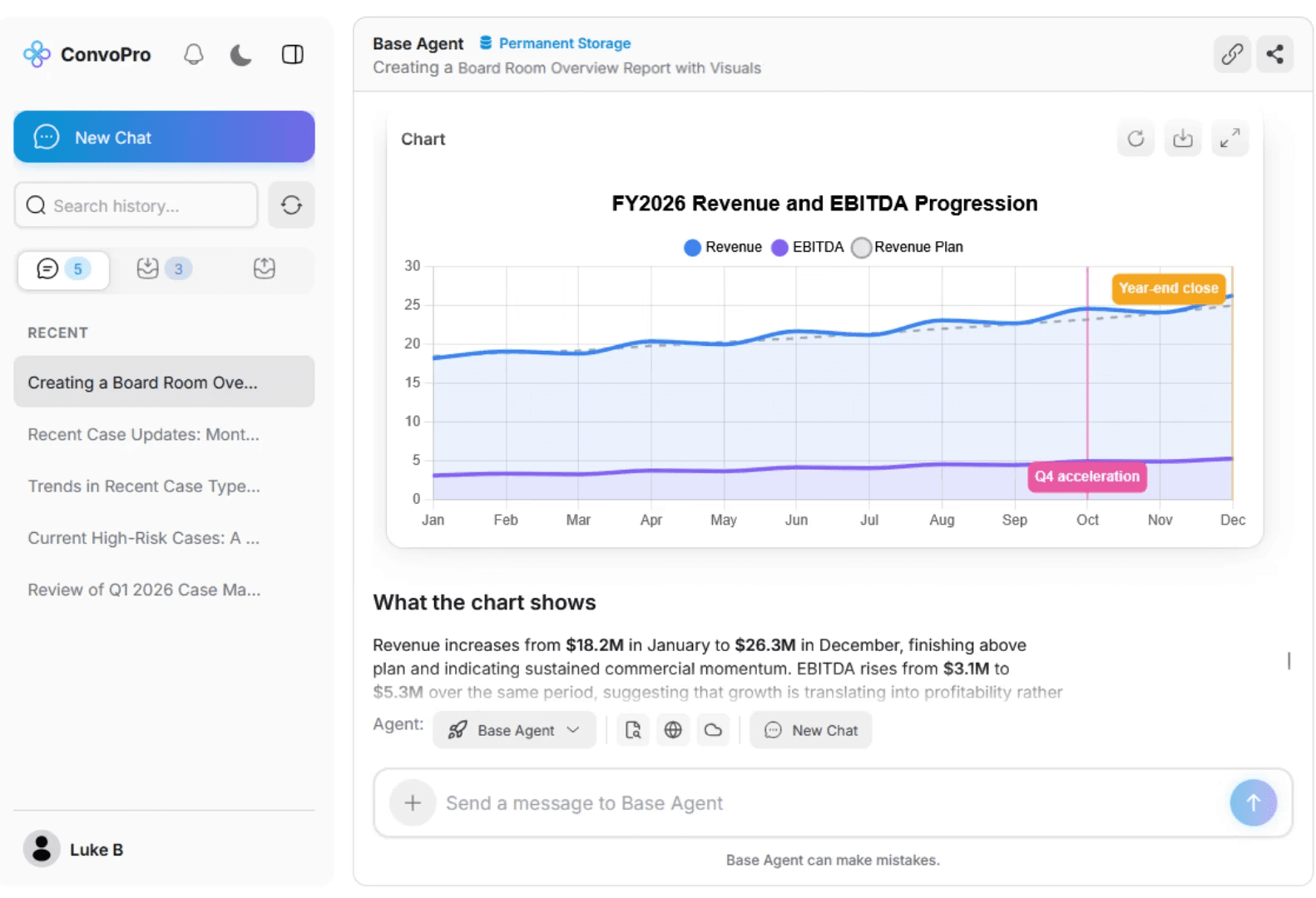
Summarize records, emails, files, and handoffs. See the next best step and act inside Salesforce with permissions, review, and control.
Start safely. Stay in control.
No Data Cloud
One Day Set Up
Demo First
SSO, MFA, and Audit logs
Salesforce work slows down when context is everywhere.
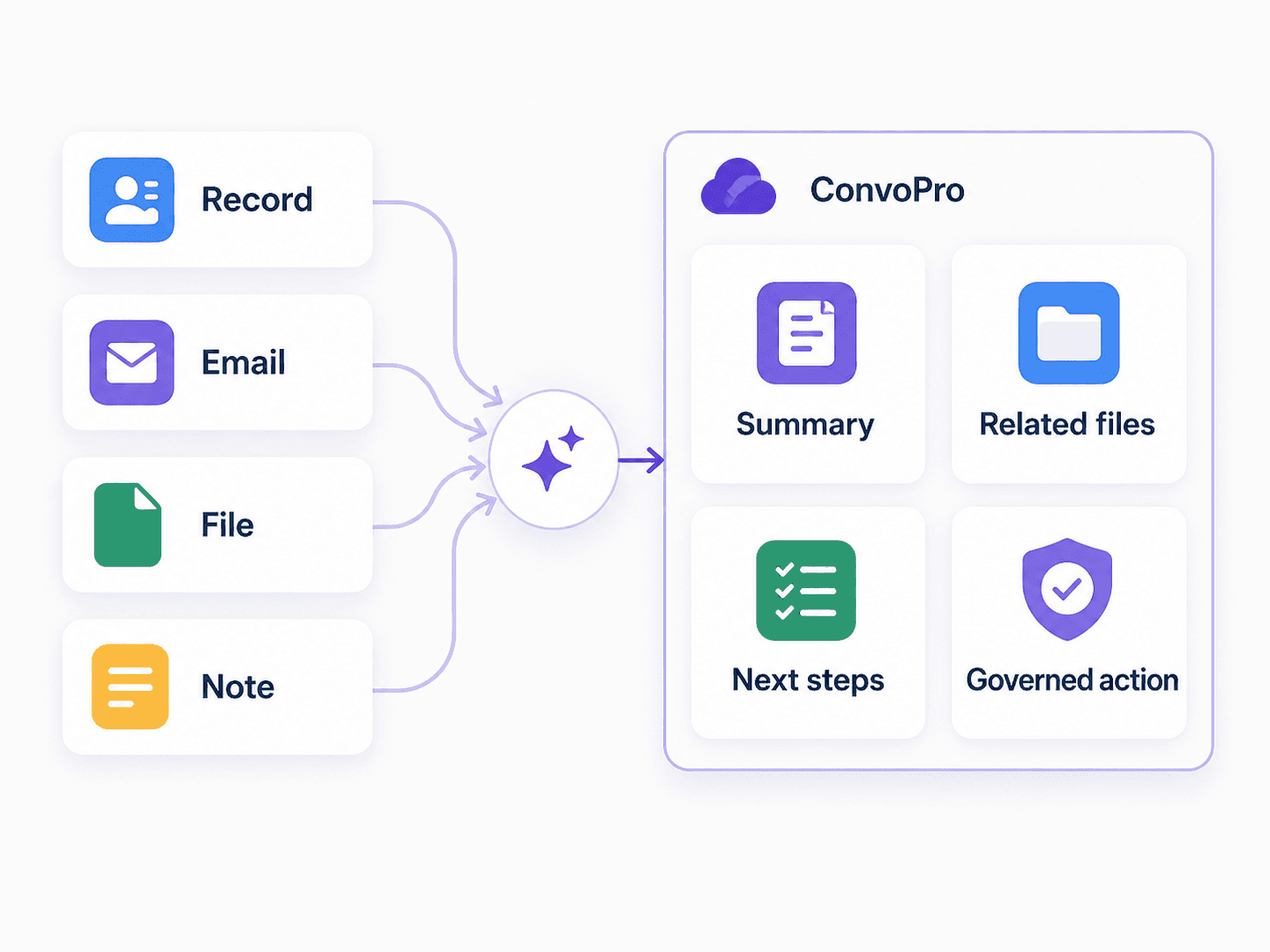
Records rarely tell the full story. The rest sits in files, emails, notes, handoffs, and team knowledge. ConvoPro Studio brings the relevant context together so teams can move faster without giving up control.
Before ConvoPro
After ConvoPro
Dig through records, files, emails, and notes
Summarize Salesforce context
Lose context during handoffs
Analyze related files and emails
Guess next steps
See recommended next steps
Use unmanaged AI tools
Keep access and actions governed
What ConvoPro Studio does
01
Summarize Salesforce context
Turn records, files, emails, and handoffs into a clear working summary.
02
Recommend next steps
Identify follow-ups, missing information, draft responses, and potential Salesforce actions.
03
Govern the workflow
Keep access and actions controlled through Salesforce permissions, connector controls, tool-level permissions, SSO, MFA, and audit logs.
Available on Windows & Mac




See what matters
Find the signal in every record.
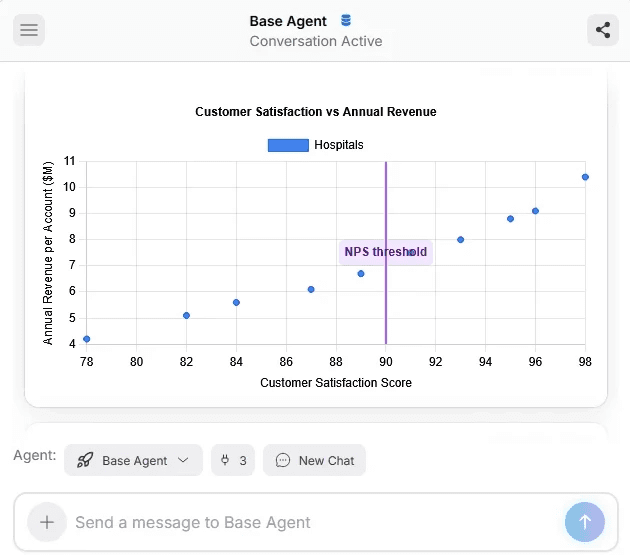
Summarize records, analyze attachments, extract key details, and surface trends without digging through tabs, notes, and threads.
Summarize
Extract
Analyze
Report
See what matters
Find the signal in every record.
Summarize records, analyze attachments, extract key details, and surface trends without digging through tabs, notes, and threads.
Summarize
Extract
Analyze
Report
Act without friction
Take the next step inside Salesforce.
Turn insight into action. Update records, assign follow-ups, draft replies, and trigger the right workflow with the context already in place.
Next Steps
Update Records
Assign Cases
Trigger Workflows

Act without friction
Take the next step inside Salesforce.
Turn insight into action. Update records, assign follow-ups, draft replies, and trigger the right workflow with the context already in place.
Next Steps
Update Records
Assign Cases
Trigger Workflows
Features
Configure around your workflow
Create reusable buttons, shareable conversations, custom workflows, and file-based actions tied to how your team works in Salesforce.
Prompt Buttons
Prompt Buttons
Shareable Chats
Shareable Chats
Custom Workflows
Custom Workflows
File Analysis
File Analysis
All your Salesforce context. One workspace.
File Analysis
Extract key details from files and attachments, then connect them to the right Salesforce records.
Custom Workflows
Build custom workflows tied to your team’s process, with the right steps, inputs, and actions in Salesforce and across your tech stack.
Custom Prompt Buttons
Surface the right information with one click across Salesforce and the tools your team already uses.
Shareable Chats
Choose from pre-built pipeline templates, or create custom interview steps.
Choose from pre-built pipeline templates, or create custom interview steps.

Trust + Control
Govern every insight and action
The right data. The right permissions. The right level of human review.
Privacy and data handling
ConvoPro only accesses what the authorized user can access in Salesforce, then adds governance at the connector and tool level.
Salesforce-aware access
Connector-level governance
Tool-level governance
SSO and MFA
Audit logs
No conversation history retention
No training on customer data
End to End Encryption
Unify your tech stack. Breakdown Silos.









Bring together Salesforce records, emails, files, and approved knowledge sources so users can work with the right context in one place.
Permission-aware by profile
Respect user Salesforce permissions before records are updated, tasks are assigned, or messages are sent.
Human review when needed
Review and approve any actions before they run, so teams stay fast without giving up control.
Approved sources only
Choose which approved systems ConvoPro can access so teams work with the right context, not more risk.
Trust + Control
Govern every insight and action
The right data. The right permissions. The right level of human review.
Privacy and data handling
ConvoPro only accesses what the authorized user can access in Salesforce, then adds governance at the connector and tool level.
Salesforce-aware access
Connector-level governance
Tool-level governance
SSO and MFA
Audit logs
No conversation history retention
No training on customer data
End to End Encryption
Unify your tech stack. Breakdown Silos.
Bring together Salesforce records, emails, files, and approved knowledge sources so users can work with the right context in one place.
Permission-aware by profile
Respect user Salesforce permissions before records are updated, tasks are assigned, or messages are sent.
Human review when needed
Review and approve any actions before they run, so teams stay fast without giving up control.
Approved sources only
Choose which approved systems ConvoPro can access so teams work with the right context, not more risk.





Use approved models and secure connections
Choose the foundation that fits your policy, cost, and performance needs.
Pass-through API costs
Owner-level visibility
Usage-aware rollout
Live dashboard
“This is going to save us hundreds of thousands of dollars.”
Ben Rolff
Parts Operations Manager, Block Imaging
“This is going to save us hundreds of thousands of dollars.”
Ben Rolff
Parts Operations Manager, Block Imaging
Use approved models and secure connections
Choose the foundation that fits your policy, cost, and performance needs.
Pass-through API costs
Owner-level visibility
Usage-aware rollout
Live dashboard
“This is going to save us hundreds of thousands of dollars.”
Ben Rolff
Parts Operations Manager, Block Imaging
“This is going to save us hundreds of thousands of dollars.”
Ben Rolff
Parts Operations Manager, Block Imaging
“It gives us the context we need much faster than digging through records, notes, and attachments ourselves. That alone makes the work feel a lot more manageable.”

Leah Daniel
Design Ops Lead
“The recommendations are useful because they are grounded in what is already in Salesforce. It feels like the product is helping us work through the process, not trying to replace it.”

Sergio Walker
Agency Owner
"We used to duct-tape tools together. Now our contracts, time tracking, and payments live in one clean system. It's everything a small team needs to stay pro."

Jane Roberts
Project Manager
"Managing projects used to mean spreadsheets, DMs, and missed invoices. This platform keeps our workflows tight and our clients impressed."

Amos Chen
Logistics Director
Start in minutes.
1
Enter name and business email
Create your workspace with a business email.
2
Receive trial access
Create your workspace with a business email.
3
Use included trial credits
Create your workspace with a business email.
4
Try Salesforce-style workflow examples
See Studio on realistic work before connecting your org.
5
Review summaries and next-step recommendations
Start with sandbox or production when you’re ready.
6
Connect Salesforce later through an approved path
Start with sandbox or production when you’re ready.
“It gives us the context we need much faster than digging through records, notes, and attachments ourselves. That alone makes the work feel a lot more manageable.”
Leah Daniel
Design Ops Lead
“The recommendations are useful because they are grounded in what is already in Salesforce. It feels like the product is helping us work through the process, not trying to replace it.”
Sergio Walker
Agency Owner
"We used to duct-tape tools together. Now our contracts, time tracking, and payments live in one clean system. It's everything a small team needs to stay pro."
Jane Roberts
Project Manager
"Managing projects used to mean spreadsheets, DMs, and missed invoices. This platform keeps our workflows tight and our clients impressed."
Amos Chen
Logistics Director
Start in minutes.
1
Enter name and business email
Create your workspace with a business email.
2
Receive trial access
Create your workspace with a business email.
3
Use included trial credits
Create your workspace with a business email.
4
Try Salesforce-style workflow examples
See Studio on realistic work before connecting your org.
5
Review summaries and next-step recommendations
Start with sandbox or production when you’re ready.
6
Connect Salesforce later through an approved path
Start with sandbox or production when you’re ready.

